Hospital Icons: A Practical Guide to Vector Assets for Healthcare Applications
In the rapidly evolving landscape of digital health, the visual language of an application often dictates its usability and user trust. For developers and designers building mobile or web platforms dedicated to healthcare, selecting the right iconography is not merely an aesthetic choice; it is a functional necessity. Hospital Icons represents a specific category of vector design elements tailored to meet these rigorous demands. These assets provide a standardized visual shorthand for medical facilities, equipment, and services, ensuring that users can navigate complex health data with clarity and confidence.
When evaluating resources like the Hospital Icons collection available in our store, it is essential to understand what distinguishes high-quality vector packs from generic clip art. The distinction lies primarily in scalability, resolution, and format versatility. Unlike raster images that degrade when enlarged, vector formats such as EPS, SVG, and PNG maintain crisp edges at any size. This characteristic is critical for modern applications where the same icon must render perfectly on a small smartwatch screen and a large desktop monitor.
Understanding the Technical Specifications of Hospital Icons
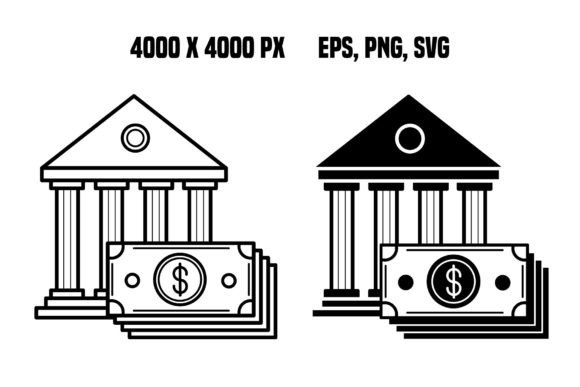
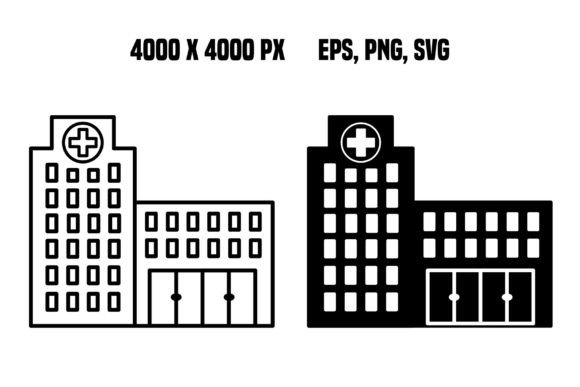
The core value proposition of the Hospital Icons set found in this store lies in its technical robustness. The package includes a ZIP file containing two primary vector design elements, delivered in transparent image formats including EPS, PNG, and SVG. This multi-format approach addresses the diverse needs of different development environments. For instance, SVG (Scalable Vector Graphics) is the industry standard for web interfaces due to its small file size and infinite scalability without quality loss. Conversely, EPS files are often preferred by print designers who need to integrate these icons into physical brochures or signage for medical facilities.
Resolution is another critical factor. The included assets boast a high resolution of 300 dpi with dimensions of 4000 x 4000 pixels. While vector graphics are theoretically resolution-independent, having a high-resolution raster preview (PNG) ensures that when the icons are embedded in contexts that do not support live vector rendering, they remain sharp and professional. This level of detail prevents the pixelation that plagues lower-quality assets, which can undermine the credibility of a healthcare platform. In an industry where precision is paramount, a blurry icon of a hospital building or a stethoscope can subconsciously signal a lack of attention to detail.
Comparing Vector Formats: When to Use Each Type
Designers often face a decision matrix when choosing between various icon formats. Understanding how Hospital Icons fits into this matrix helps in making informed decisions. The inclusion of both vector (EPS, SVG) and high-resolution raster (PNG) options provides flexibility that single-format packs lack.
- SVG for Web and Mobile: If your project involves responsive web design or native mobile apps, the SVG files within the Hospital Icons pack are the optimal choice. They allow for CSS styling, meaning you can change the color of a hospital icon dynamically based on user interaction or theme settings without needing multiple image files.
- EPS for Print and Branding: For marketing materials, business cards, or architectural blueprints, the EPS format ensures that the icons can be edited in vector illustration software like Adobe Illustrator. This allows for customization of stroke weights and shapes to match specific brand guidelines.
- PNG for Quick Integration: Sometimes, rapid prototyping requires drag-and-drop simplicity. The 4000 x 4000 pixel PNGs offer immediate usability in presentation software or quick mockups where vector editing tools are not readily available.
Compared to alternative resources that may only offer low-resolution JPEGs or fixed-size PNGs, the Hospital Icons collection eliminates the need for upscaling or redrawing, saving significant time in the production workflow.
Tradeoffs Between Custom Illustration and Pre-Made Vectors
A common consideration for teams is whether to commission custom illustrations or utilize pre-made assets like Hospital Icons. Custom work offers unlimited uniqueness but comes with a higher cost and longer turnaround time. Pre-made vector packs offer immediate availability and consistency. The tradeoff here is distinctiveness versus efficiency. For many startups and established healthcare providers launching new features, the speed-to-market provided by high-quality vector packs outweighs the marginal benefit of unique, hand-drawn icons, especially when the subject matter—such as a generic hospital building—is universally recognized.
However, if a brand has a highly stylized identity that deviates significantly from standard geometric forms, pre-made icons might require modification. Fortunately, because the Hospital Icons set is provided in editable vector formats, designers can tweak the geometry to better align with their specific brand voice, bridging the gap between off-the-shelf convenience and custom tailoring.
Evaluating Fit for Different Healthcare Scenarios
The suitability of Hospital Icons depends heavily on the specific context of the application. In telemedicine platforms, where users are often anxious or seeking urgent information, clarity is non-negotiable. Icons representing "Emergency," "Pharmacy," or "Doctor's Office" must be instantly recognizable. The clean lines and transparent backgrounds of the vectors in this store ensure that these symbols do not clutter the interface, regardless of the background color scheme used in the app.
Conversely, for internal hospital management systems used by staff, the requirements shift slightly towards density and information load. High-resolution icons allow for smaller sizes without losing legibility, enabling dashboards to display more data points per screen. The 300 dpi specification ensures that even when printed for physical reference guides within a clinic, the details remain crisp.
It is also worth considering the limitations. While Hospital Icons covers fundamental building and facility representations, it may not include niche medical procedures or highly specialized equipment unless explicitly stated in the product description. Users looking for a comprehensive library of thousands of anatomical diagrams or surgical tools might find this specific two-element set too narrow for their needs. In such cases, this pack serves best as a foundational element for navigation and location-based features rather than a complete educational resource.
Decision Factors for Procurement
When deciding whether to acquire the Hospital Icons set, consider the following factors:
- Project Scope: Is the project a simple landing page requiring a few key symbols, or a massive enterprise system? For the former, this focused pack is ideal. For the latter, it may serve as a starter kit alongside other assets.
- Technical Requirements: Does your team have the capacity to work with vector files? If your workflow relies solely on raster editors, the PNG versions are sufficient, though you lose the scalability benefits.
- Brand Consistency: Do the styles of the icons match your existing design system? The geometric nature of these vectors typically integrates well with modern flat or material design systems, but may clash with skeuomorphic or hand-drawn aesthetics.
Alternatives and Complementary Resources
While Hospital Icons offers a streamlined solution for building and facility representation, there are alternative approaches to sourcing visuals. Some designers opt for open-source repositories like FontAwesome or Flaticon. These platforms offer vast libraries but often come with licensing complexities and inconsistent quality control. Free assets may lack the high-resolution guarantees (300 dpi, 4000x4000) found in premium stores, potentially leading to issues during high-definition printing or large-scale digital displays.
Another alternative is using icon fonts. Icon fonts are lightweight and scalable but offer limited customization compared to SVG or EPS files. You cannot easily alter the shape of an icon font character without advanced coding knowledge. The vector files in the Hospital Icons package grant full design freedom, allowing for modifications to stroke width, corner radius, and overall geometry.
For projects requiring a cohesive look across all categories, pairing Hospital Icons with complementary sets from the same vendor can ensure stylistic uniformity. Mixing icons from different sources often results in a disjointed user interface where line weights and corner styles vary subtly but noticeably, reducing the perceived polish of the application.
Conclusion: Making an Informed Choice
Selecting the right visual assets is a strategic decision that impacts user experience and brand perception. The Hospital Icons collection available here provides a practical, high-fidelity solution for developers and designers working in the healthcare sector. By offering versatile formats (EPS, PNG, SVG) and exceptional resolution, it addresses the dual needs of digital fluidity and print precision.
While it may not replace the need for extensive custom illustration in every scenario, it serves as a robust foundation for most standard healthcare applications. Whether you are building a patient portal, a hospital directory, or a telehealth interface, the clarity and professionalism of these vector elements can enhance the overall utility of your product. As with any design resource, the final decision should rest on a careful evaluation of your specific project requirements, technical constraints, and long-term branding goals. Thank you for visiting the store and exploring these tools to elevate your next digital health project.